01 / 06 · Today
The day at a glance
The next plan with directions and its ticket, the next train with seat numbers, and today’s documents, as soon as you open the trip.
Day 3 of 10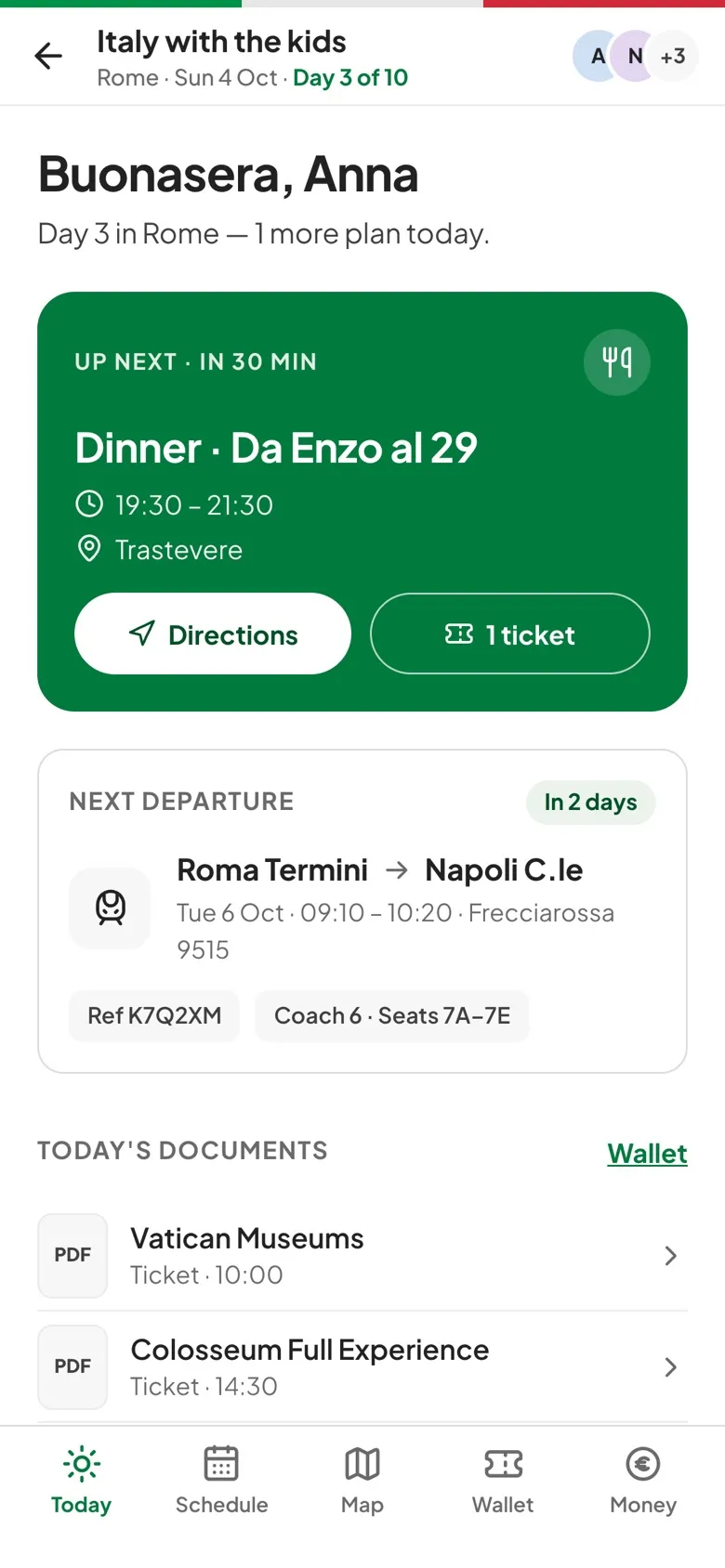
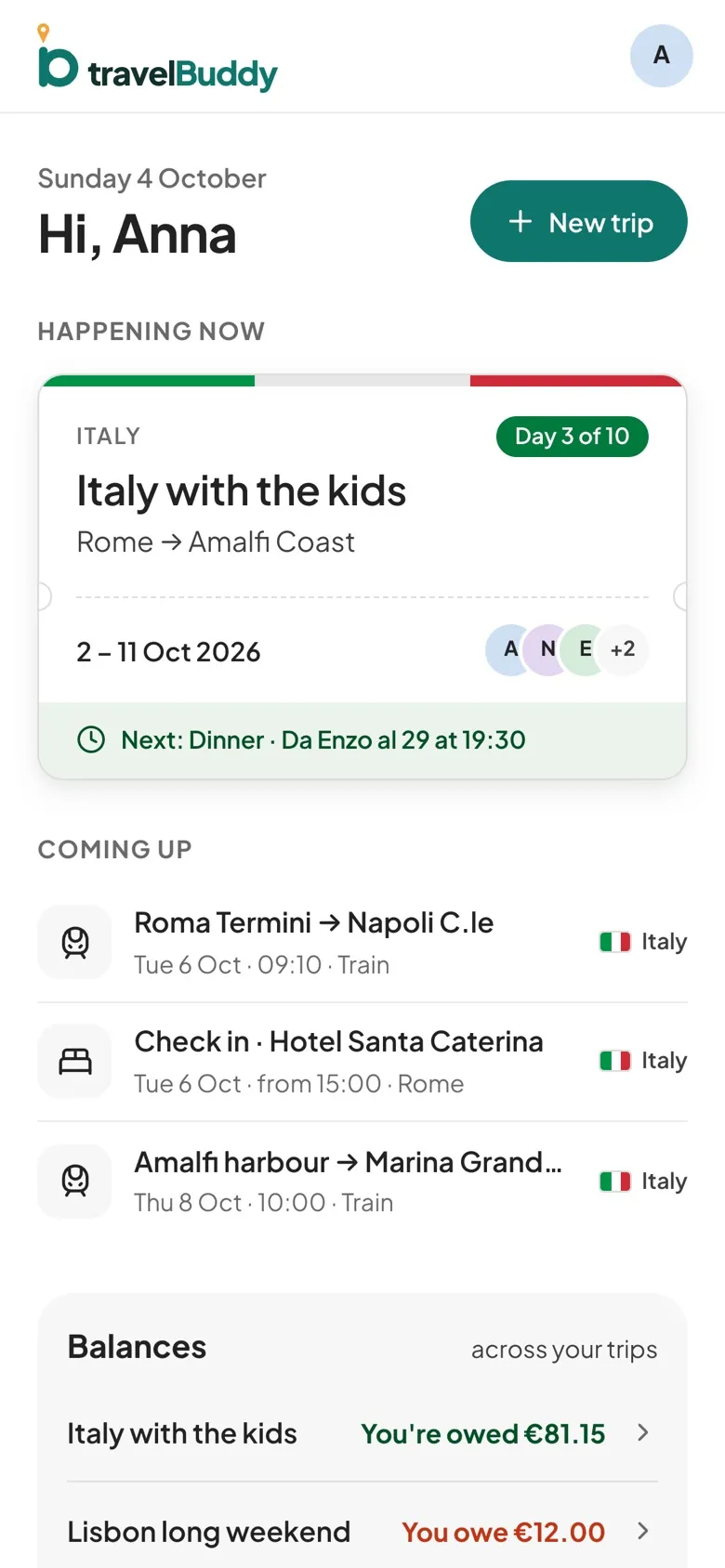
Schedule, map, tickets and shared costs for the whole group, on every phone. Saved on the device, so the trip keeps working when the signal doesn't.
Every plan, ticket and receipt lives in the trip, and everyone you invite sees the same thing.
Flights, trains, tours and dinners in one timeline, with a warning when two plans clash.
Every stop numbered, day by day, with directions one tap away.
Shared or personal, ticked off as you pack.
Boarding passes and bookings, saved to the phone before you go.
30 currencies, budgets by category and who owes whom.
Polls for the dinner, the beach day or the hotel.
Weather, currency and plug types for every stop.
The trip opens with no signal, and expenses added offline sync later.
No app store needed: one person creates the trip, and everyone else joins with a link.
Pick the destination and dates. The trip takes on the country's colors.
Share one link, with a role for each person: organizer, editor or viewer.
Plans, tickets and costs on every phone, even with no signal.
Real screens from a ten-day family trip to Italy.
01 / 06 · Today
The next plan with directions and its ticket, the next train with seat numbers, and today’s documents, as soon as you open the trip.
Day 3 of 1002 / 06 · Schedule
Flights, trains, tours and dinners day by day, with a warning when two plans overlap.
Clash warnings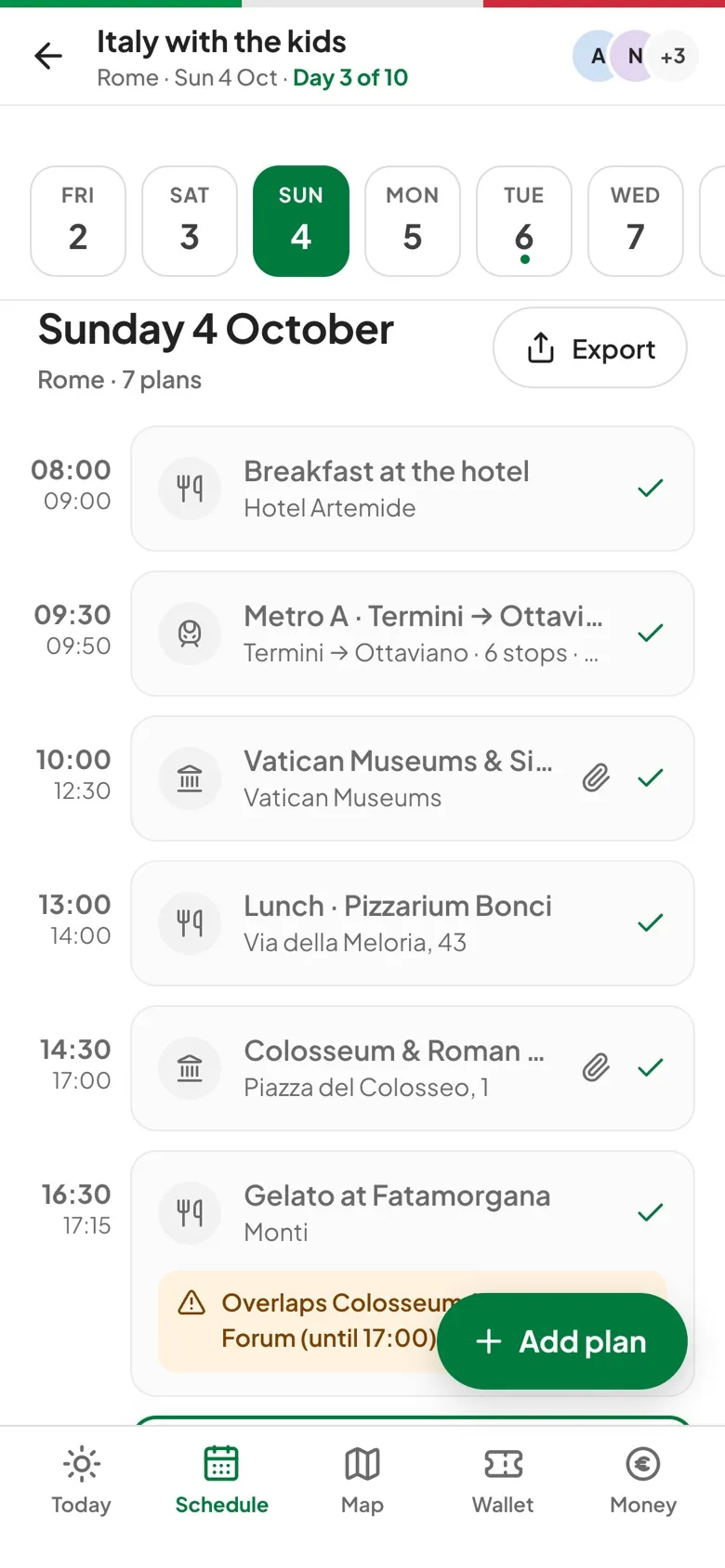
03 / 06 · Map
Numbered stops on a map with a day filter, and directions one tap away.
Day by day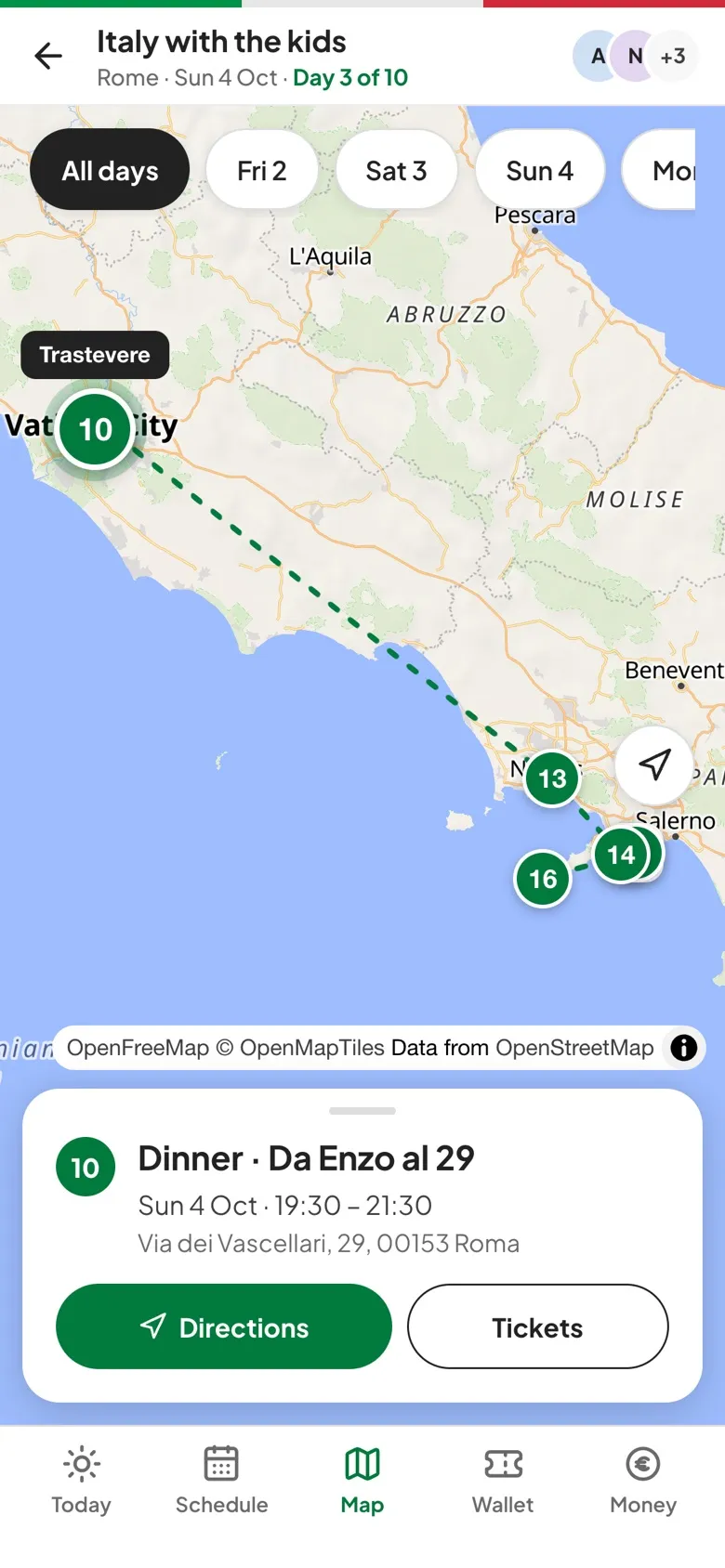
04 / 06 · Wallet
Boarding passes and bookings grouped by day, downloaded to the phone before the trip starts.
Saved before you go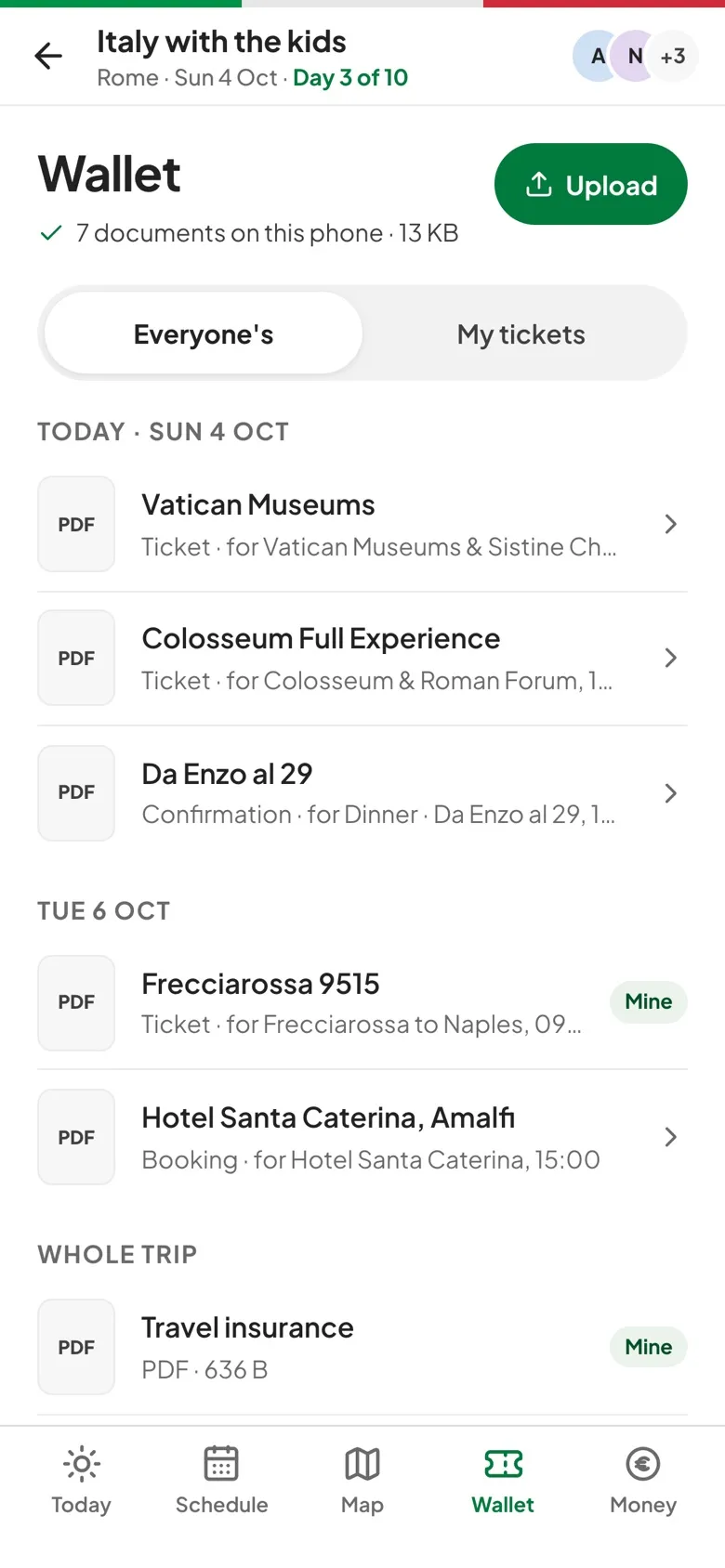
05 / 06 · Money
Spend against budget by category in 30 currencies, and a short list of who pays whom.
30 currencies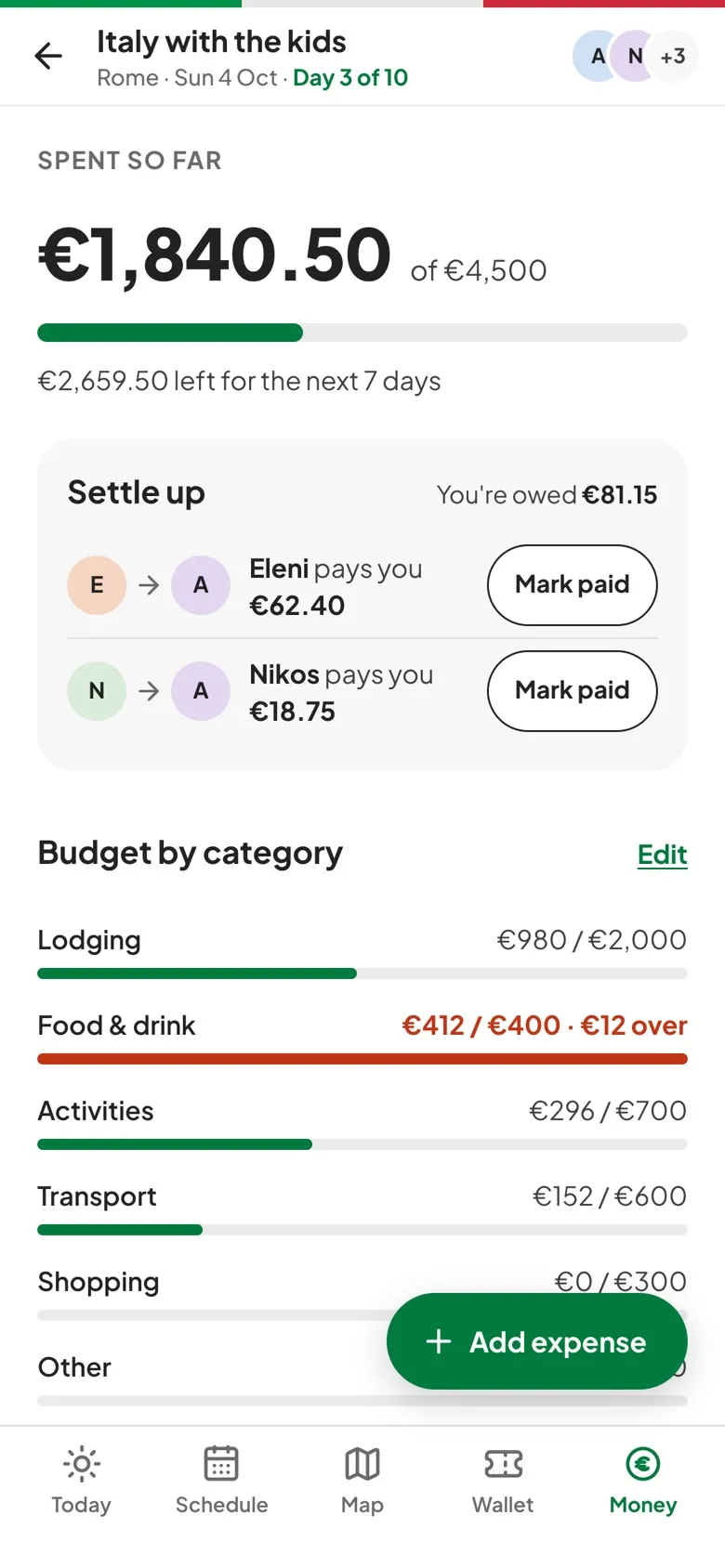
06 / 06 · Polls and lists
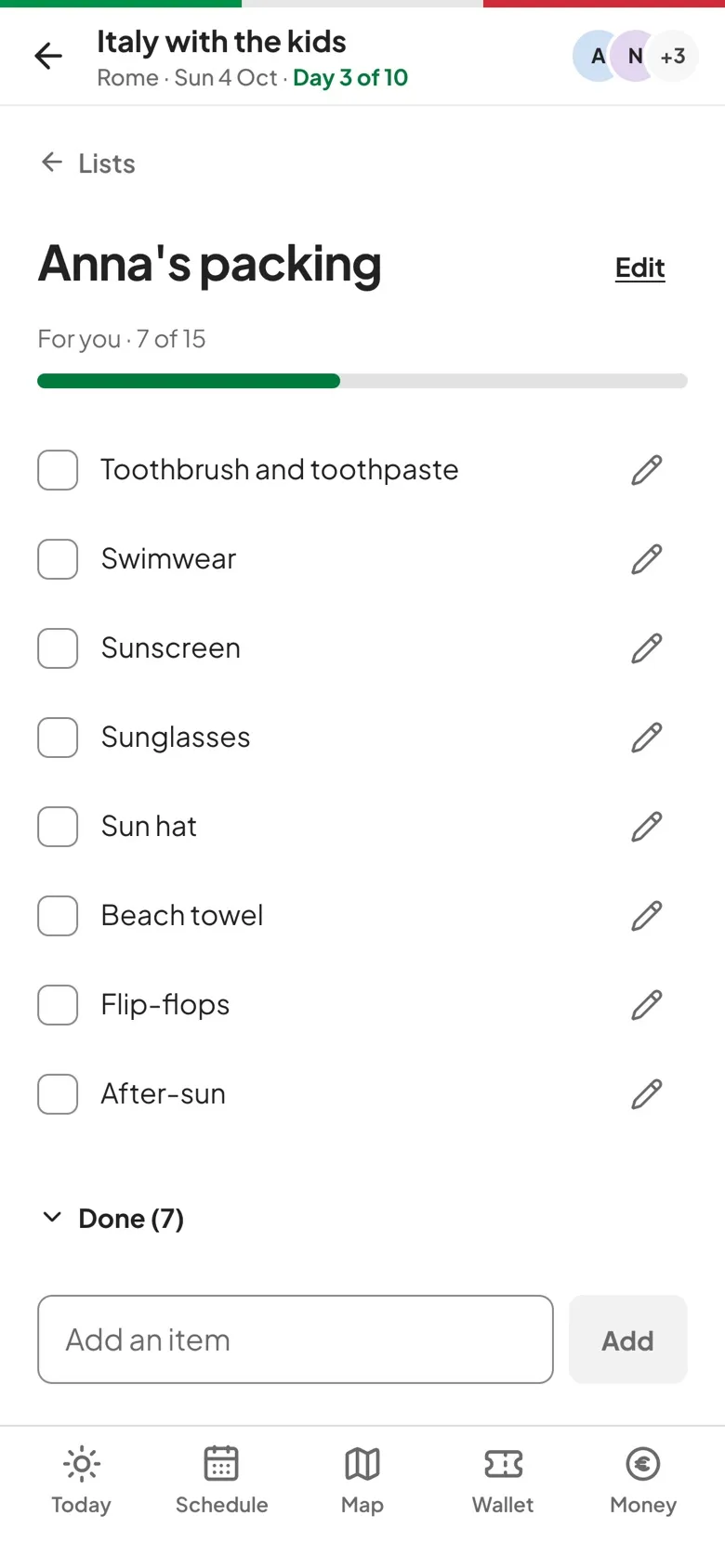
Vote on the dinner spot, see the winner, and tick off the packing list together.
For the group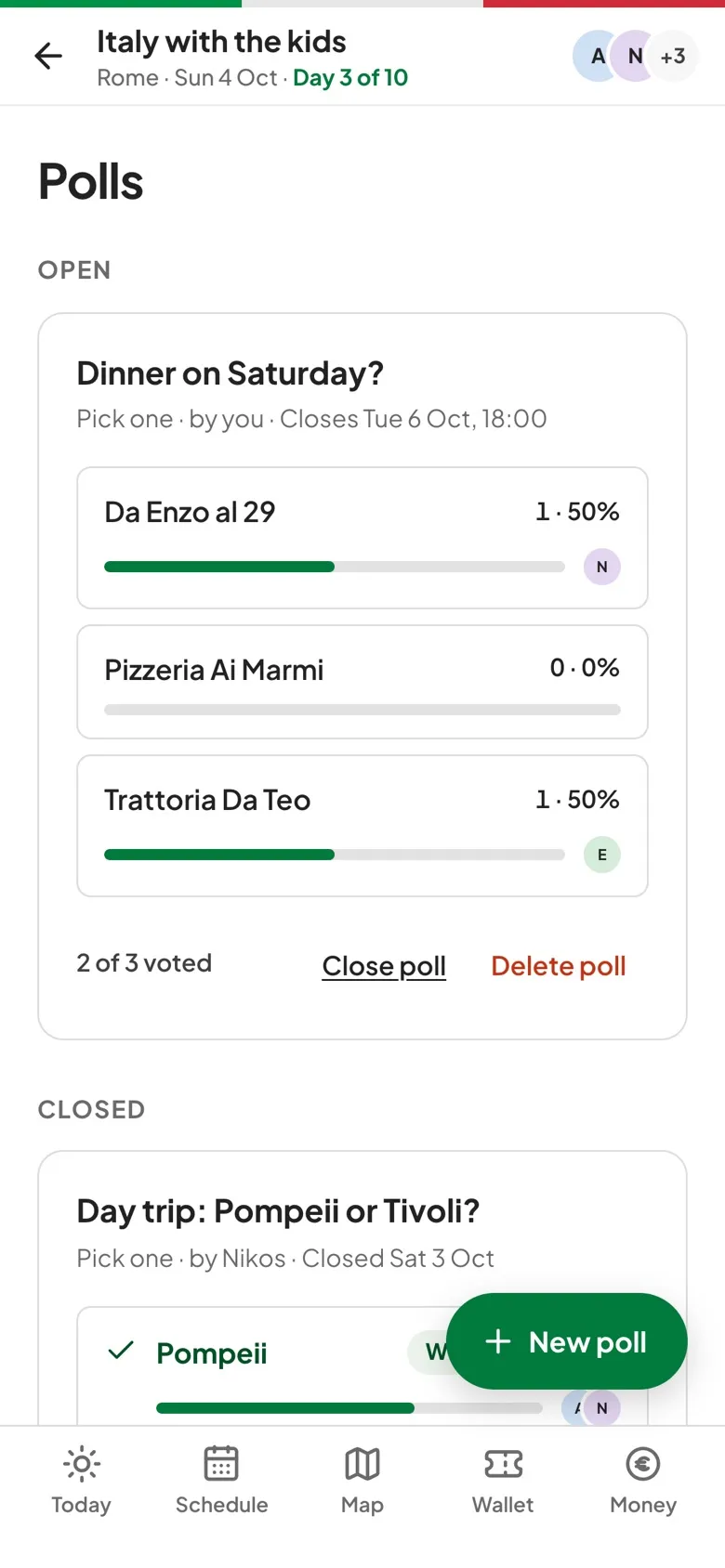
Yes, for reading: the schedule, lists and facts open with no signal, and tickets for trips starting within 14 days are downloaded in advance. New expenses and ticks on lists wait on the phone and sync later.
No. travelBuddy is a web app: open it in your phone's browser and add it to your home screen. It then opens full screen, like any other app.
Everyone you invite gets a role. Organizers and editors change plans; viewers, such as kids, can see everything without editing.
Expenses can be in any of 30 currencies. Balances and budgets are shown in the trip's currency so everyone sees the same totals.
Create the trip, share the link, and everyone has the plan on their phone.
No app store needed: install it from your browser.