One schedule for the trip,
on everyone's phone
Trains, stays, meals and sights go into one day-by-day schedule that the whole group shares. Each plan has its time, its place and the tickets that go with it.
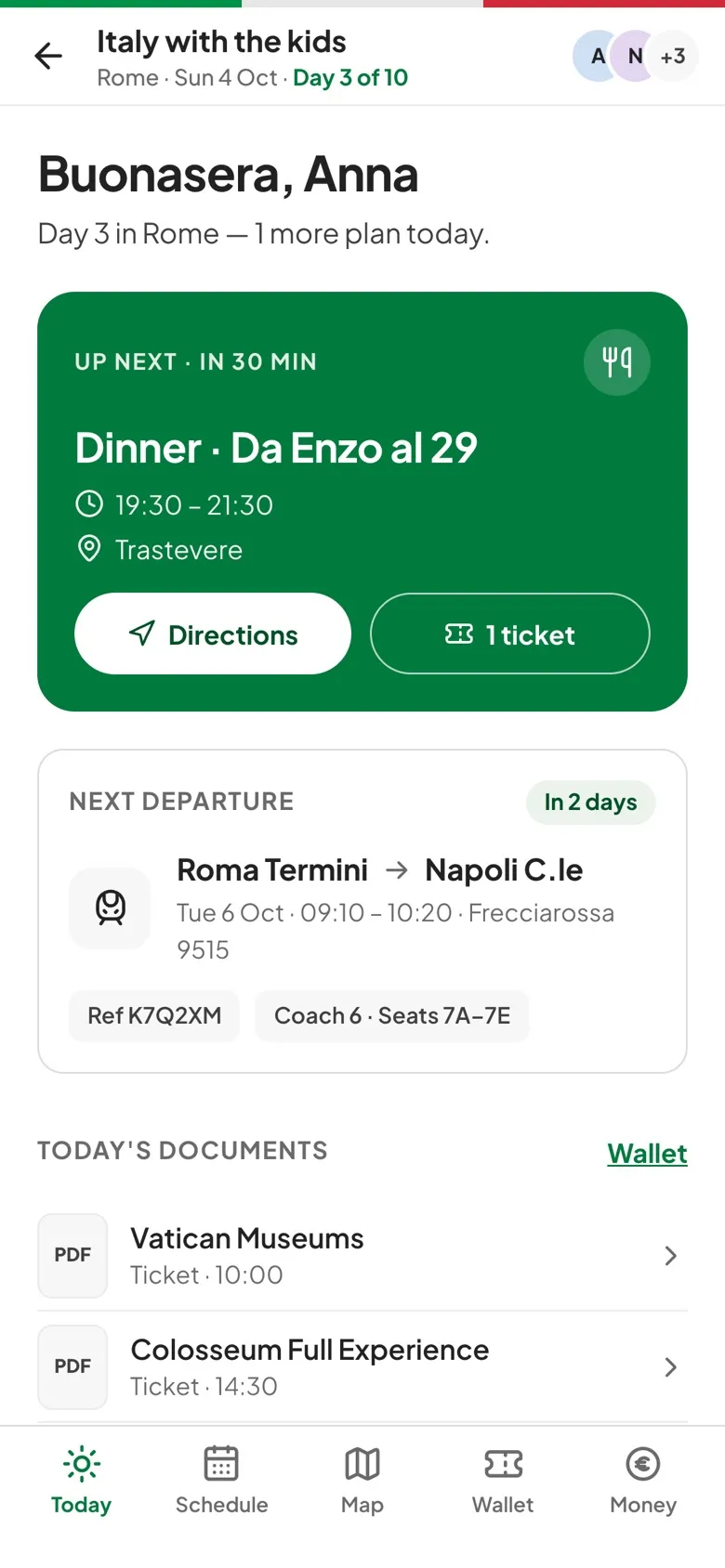
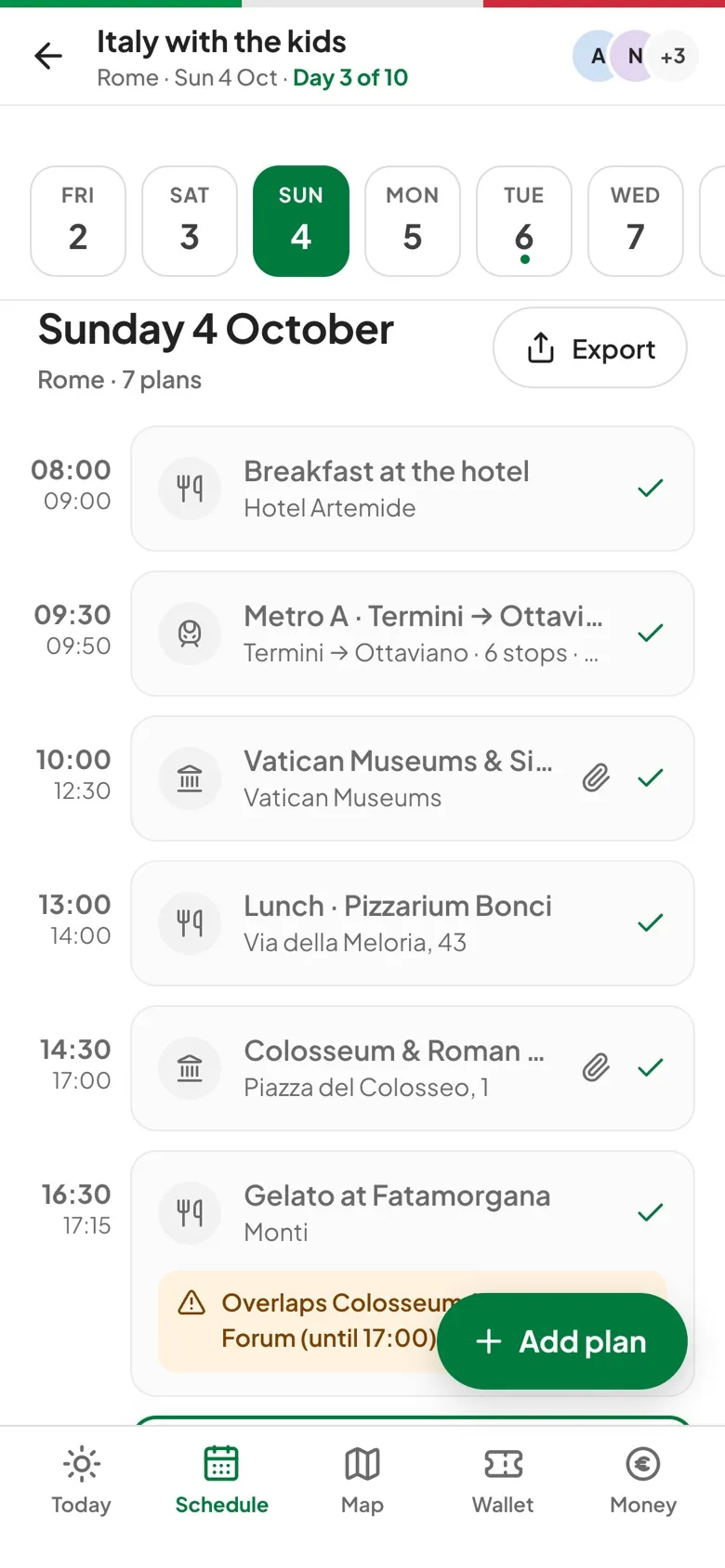
How the schedule works.
Clash warnings
When two plans overlap on the same day, the later one shows an Overlaps note naming the earlier plan and when it ends.
Knows what's next
Today's plans are marked done, NOW or NEXT, and the next one shows how long until it starts, with Directions and its tickets one tap away.
Stays across nights
A hotel booked for several nights shows on each of them as Night 2 of 4, with the check-out day, so nobody has to ask where you're sleeping.
Out to your calendar
Export downloads an .ics file for Apple, Google or Outlook Calendar, or opens a printable itinerary you can save as a PDF.
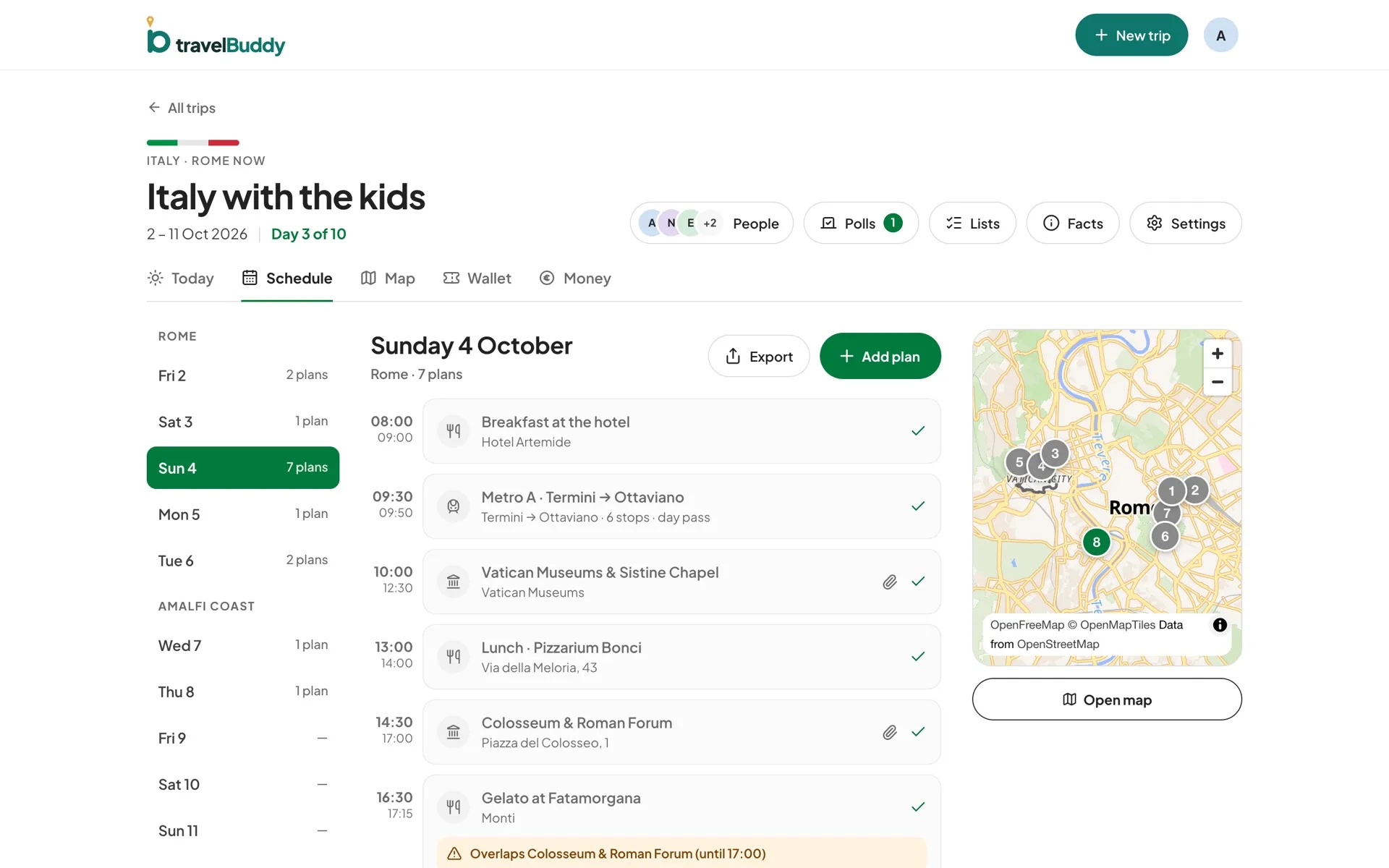
Three steps to get going.
Pick a day
Tap a date at the top. On a computer the days are grouped by stop, with a small map of the day alongside.
Add a plan
Choose Activity, Transport, Stay or Meal and search for the place. If search can't find it, type the address yourself.
Attach the tickets
Add the booking to the plan so it shows on the plan's card and in the Wallet.
Questions, answered.
Who can change the schedule?
Organizers and editors add, edit and delete plans. Viewers see the same schedule but can't change it.
Do changes show up for everyone instantly?
Not instantly. Changes are saved to the shared trip and other phones pick them up when they next refresh it, for example when someone opens the trip or comes back to the app. Live push updates aren't built yet.
Can I edit the schedule offline?
Not yet. The whole schedule is readable offline, but adding or editing plans needs a connection.